Entity relationship editor for database schemas
Document entities, fields, keys, and their cardinalities in Mermaid source that can live next to your schema.
An ER diagram documents the shape of stored data. Use a class diagram instead when you are describing behaviour and inheritance rather than tables and keys.
How to make an ER diagram online
- List the entities before the relationships, so the diagram grows out of the tables you already have.
- Connect two entities with the cardinality markers that match reality: optional or required, one or many, on each side.
- Open an entity block and add its fields with their types, marking primary and foreign keys as
PKandFK. - Keep the Mermaid source beside your migrations so the diagram can be regenerated whenever the schema changes.
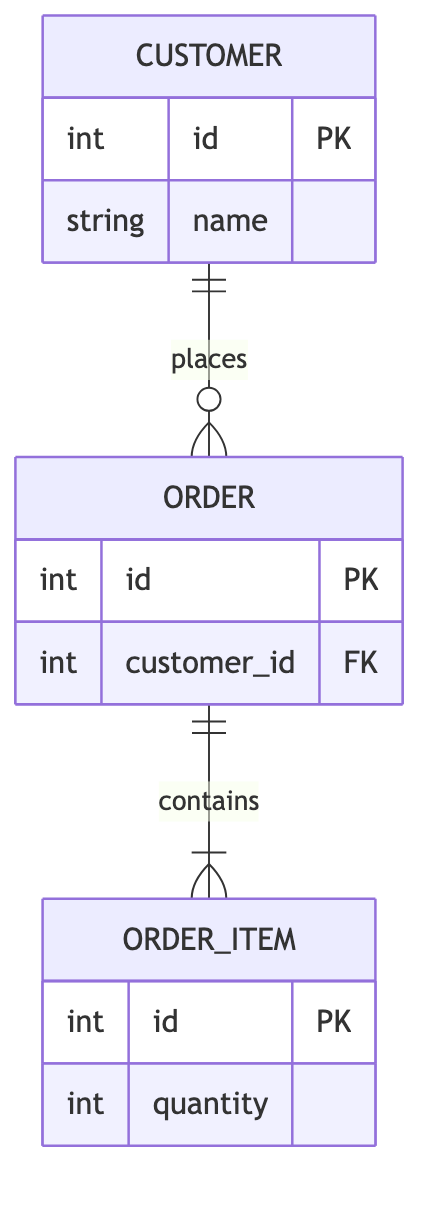
ER diagram syntax cheat sheet
| What it does | Syntax | Notes |
|---|---|---|
| Start | erDiagram | Selects entity-relationship syntax. |
| One to many | CUSTOMER ||--o{ ORDER : places | One customer places zero or more orders. |
| Required many | ORDER ||--|{ ITEM : contains | One order requires at least one item. |
| Entity block | CUSTOMER { ... } | Opens the field list for an entity. |
| Primary key | int id PK | Marks a field as the primary key. |
| Foreign key | int customer_id FK | Marks a field as a foreign key. |
Editable ER diagram examples
- Order data model — Edit this order data model in Mermaid, inspect the rendered result, and adapt the working source for your own documentation.
All ER diagram examples · the whole example library
Frequently asked questions
Can Mermaid ER diagrams show primary and foreign keys?
Yes. Add PK after a field name for a primary key and FK for a foreign key, inside the entity block.
How do I show one-to-many cardinality?
Use the marker pair that matches optionality and count on each side, such as ||--o{ for one to zero-or-more.
Should I keep the diagram or the image as the original?
Keep the Mermaid source as the editable original and regenerate the SVG after each schema change; an exported image cannot be diffed in review.
Keep reading
Fix diagram errors · Export formats · all guides
mermaid.tools is an independent editor not affiliated with the Mermaid.js project or Mermaid Chart / mermaid.ai. Diagrams render in your browser with Mermaid 11.17.2.