Org chart maker that builds the chart from text
Build reporting structures as readable Mermaid source, then use the visual org tools to add, move, promote, and demote people.
An org chart is a flowchart with one rule: every arrow runs from a manager to a report. That is why the same editor, layout engine, and export pipeline apply to both.
How to make an org chart online
- Give every person a stable identifier and a quoted label holding their name and role on two lines.
- Draw one arrow from each manager to each direct report; the layout engine positions the levels for you.
- Turn on Org Mode in the left rail to add, move, promote, and demote people without editing the source by hand.
- Group a department in a subgraph, use a dotted arrow for an advisory relationship, then export the chart.
Import your team
Paste a CSV exported from your HR system, or an indented list of names, and the editor writes the Mermaid for you. The columns are Name, Manager and Title in any order; the most senior person leaves Manager empty. An indented list works the same way, with each level of indentation meaning “reports to the line above”.
The import replaces the current diagram in one step and Undo brings the previous one back. A malformed file is refused with the row that caused it, so the canvas is never left blank. Nothing is uploaded: the text is parsed in your browser.
Org chart syntax cheat sheet
| What it does | Syntax | Notes |
|---|---|---|
| Start | flowchart TB | Lays reporting lines out from the top down. |
| Person | ceo["Dana<br/>CEO"] | A line break puts the role under the name. |
| Report | ceo --> vp_eng | Connects a manager to a direct report. |
| Department | subgraph Engineering ... end | Groups roles inside a department boundary. |
| Stable identifier | employee_104["Priya Raman"] | Keeps wiring intact when a visible label changes. |
| Advisory line | lead -.-> advisor | A dotted arrow marks a non-reporting relationship. |
Editable org chart examples
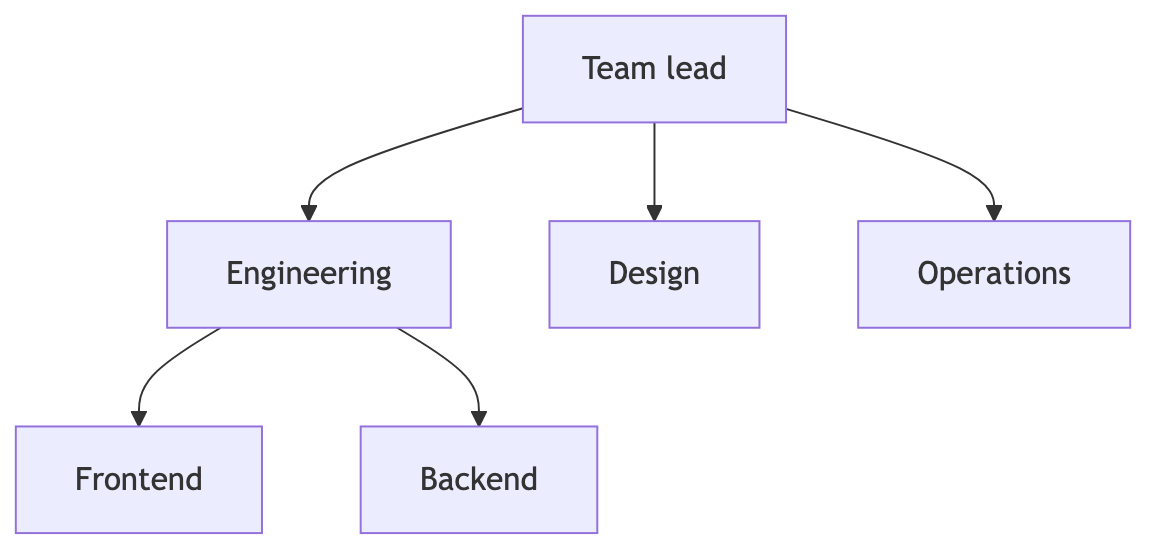
- Team org chart — Edit this small team reporting structure in Mermaid, inspect the rendered result, and adapt the working source for your own documentation.
- 3-tier corporate — Edit this three-tier company chart in Mermaid, inspect the rendered result, and adapt the working source for your own documentation.
All org chart examples · the whole example library
Frequently asked questions
Can I build an org chart from a CSV?
Yes. Import people accepts a CSV with Name, Manager and Title columns, matches each manager by name, and writes clean Mermaid with one node per person and one arrow per reporting line.
Is an org chart stored on a server?
No. Editing, project storage, imports, and exports stay in your browser. A chart leaves your machine only when you export a file or copy a share link yourself.
Can I edit reporting lines visually?
Yes. Org Mode adds focused controls for adding a report or a manager, moving someone under a new parent, and promoting or demoting a person.
Keep reading
Share URL API · Flowchart tutorial · all guides
mermaid.tools is an independent editor not affiliated with the Mermaid.js project or Mermaid Chart / mermaid.ai. Diagrams render in your browser with Mermaid 11.17.2.