Flowchart editor for Mermaid, with live preview
Build processes, decisions, and connected systems from readable text, then edit the result directly in the browser.
A flowchart answers the question “what happens next”. If the answer depends on who is talking to whom, a sequence diagram fits better; if it depends on what state something is in, use a state diagram.
How to make a flowchart online
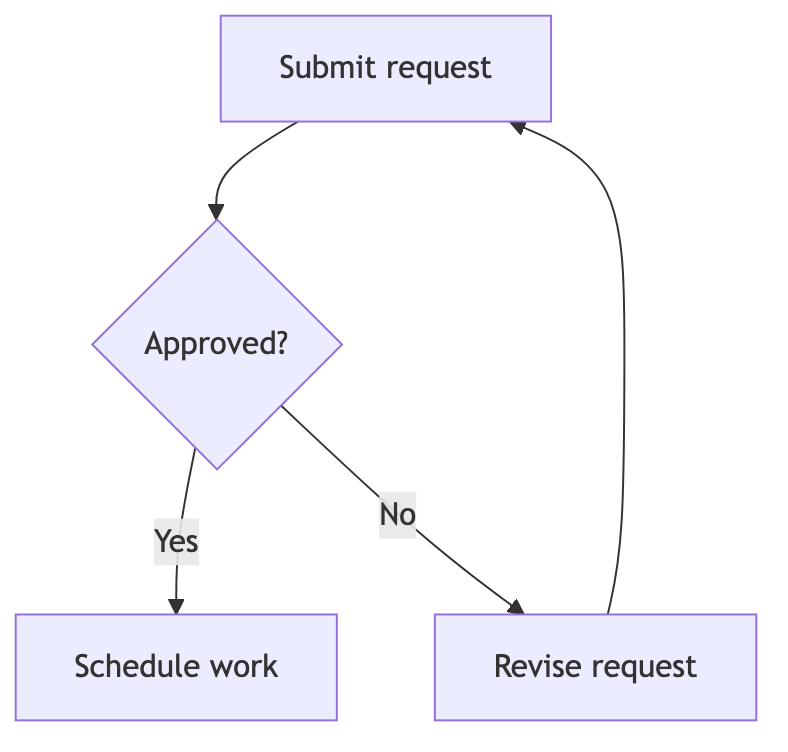
- Start from the approval workflow already loaded above, or change the first line to
flowchart LRto lay the same steps out from left to right. - Name each step in square brackets and each question in braces, then join them with arrows in the order the work actually happens.
- Label the branches leaving a decision so a reader can tell the “yes” path from the “no” path without guessing.
- Group a stage in a subgraph, adjust node spacing in the Layout panel, then export SVG for documents or PNG for slides.
Flowchart syntax cheat sheet
| What it does | Syntax | Notes |
|---|---|---|
| Direction | flowchart TD | Choose top-to-bottom (TD or TB) or left-to-right (LR) layout. |
| Process node | A[Review request] | Square brackets draw a rectangular action. |
| Decision node | B{Approved?} | Braces draw a diamond for a question or branch. |
| Labelled edge | B -->|Yes| C | The text between vertical bars labels the branch. |
| Subgraph | subgraph Team ... end | Groups related steps inside a named boundary. |
| Dotted link | A -.-> B | A dotted arrow marks a secondary relationship. |
Editable flowchart examples
- Approval workflow — Edit this approval request workflow in Mermaid, inspect the rendered result, and adapt the working source for your own documentation.
- Bold and multiline labels — Edit this formatted delivery flow in Mermaid, inspect the rendered result, and adapt the working source for your own documentation.
- Decision tree — Edit this account entry decision in Mermaid, inspect the rendered result, and adapt the working source for your own documentation.
- Swim lanes — Edit this cross-team form workflow in Mermaid, inspect the rendered result, and adapt the working source for your own documentation.
All flowchart examples · the whole example library
Frequently asked questions
Can I use this flowchart editor without an account?
Yes. The editor runs in your browser and needs no sign-up. Diagrams, projects, and settings stay in this browser profile unless you export them or copy a share link.
What flowchart formats can I export?
You can export SVG, PNG, JPEG, PDF, the raw Mermaid source as an .mmd file, or a JSON backup of the whole project.
Does opening this page replace a diagram I am already working on?
No. The starter loads only while the editor still shows the untouched default. If you already have work open, the page leaves it alone and the examples below stay one click away.
Keep reading
Flowchart tutorial · Fix diagram errors · all guides
mermaid.tools is an independent editor not affiliated with the Mermaid.js project or Mermaid Chart / mermaid.ai. Diagrams render in your browser with Mermaid 11.17.2.