Class diagram editor for interfaces and inheritance
Describe interfaces, classes, members, inheritance, composition, and dependencies in text that developers can review.
A class diagram explains structure and relationships in code. If you also need the order of calls between those objects, pair it with a sequence diagram.
How to make a class diagram online
- Declare each class, then add its fields and methods with a visibility marker so readers can see the public surface at a glance.
- Use the inheritance arrow for a subtype and the dotted implementation arrow for an interface, both pointing from the base type.
- Add composition or aggregation where one object owns another, rather than drawing every association as a plain line.
- Keep one collaboration per diagram; a class diagram that tries to cover a whole codebase stops being readable.
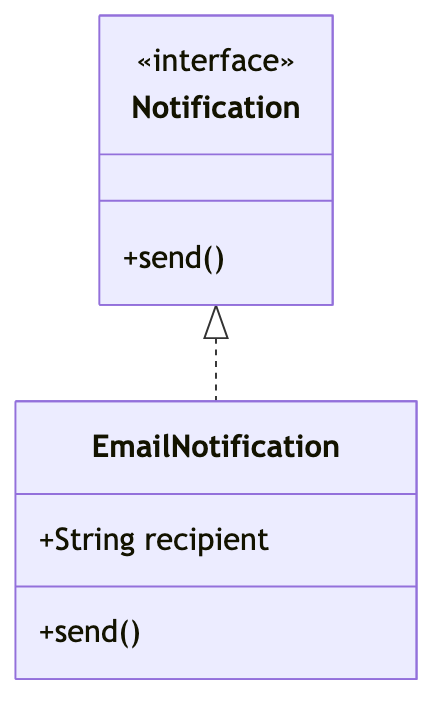
Class diagram syntax cheat sheet
| What it does | Syntax | Notes |
|---|---|---|
| Start | classDiagram | Selects class diagram syntax. |
| Class | class Notification | Declares a named class. |
| Public method | +send() | Adds a public operation. |
| Private field | -String token | Adds a private member. |
| Inheritance | Animal <|-- Dog | Points from a base class to a subtype. |
| Implementation | Channel <|.. Email | A dotted arrow marks an interface implementation. |
Editable class diagram examples
- Class relationships — Edit this notification interface model in Mermaid, inspect the rendered result, and adapt the working source for your own documentation.
- Inheritance — Edit this animal inheritance model in Mermaid, inspect the rendered result, and adapt the working source for your own documentation.
- Observer pattern — Edit this observer pattern class model in Mermaid, inspect the rendered result, and adapt the working source for your own documentation.
All class diagram examples · the whole example library
Frequently asked questions
Can a Mermaid class diagram show interfaces?
Yes. Add the interface annotation inside the class block and connect implementations with the dotted implementation arrow.
Can I include fields and methods?
Yes. Prefix each member with a visibility marker such as plus for public, minus for private, or hash for protected.
Is Mermaid source suitable for code review?
Yes. The diagram is plain text, so a change to it appears as a readable diff next to the code change that caused it.
Keep reading
Fix diagram errors · Export formats · all guides
mermaid.tools is an independent editor not affiliated with the Mermaid.js project or Mermaid Chart / mermaid.ai. Diagrams render in your browser with Mermaid 11.17.2.