Sequence diagram editor for API and service messages
Describe API calls, authentication, and service conversations in chronological order with participants and labelled messages.
Reach for a sequence diagram when order matters and the participants exchange messages. If you only need to show which component depends on which, a flowchart is simpler.
How to make a sequence diagram online
- Declare every participant first, so the columns appear in the order you want rather than the order they happen to be mentioned.
- Write the messages from top to bottom, using a solid arrow for a request and a dotted arrow for the response it produces.
- Wrap conditional messages in an
altblock and repeated messages in aloop, so the diagram shows real behaviour instead of one happy path. - Raise message spacing in the Layout panel when labels crowd each other, then export the result for your API documentation.
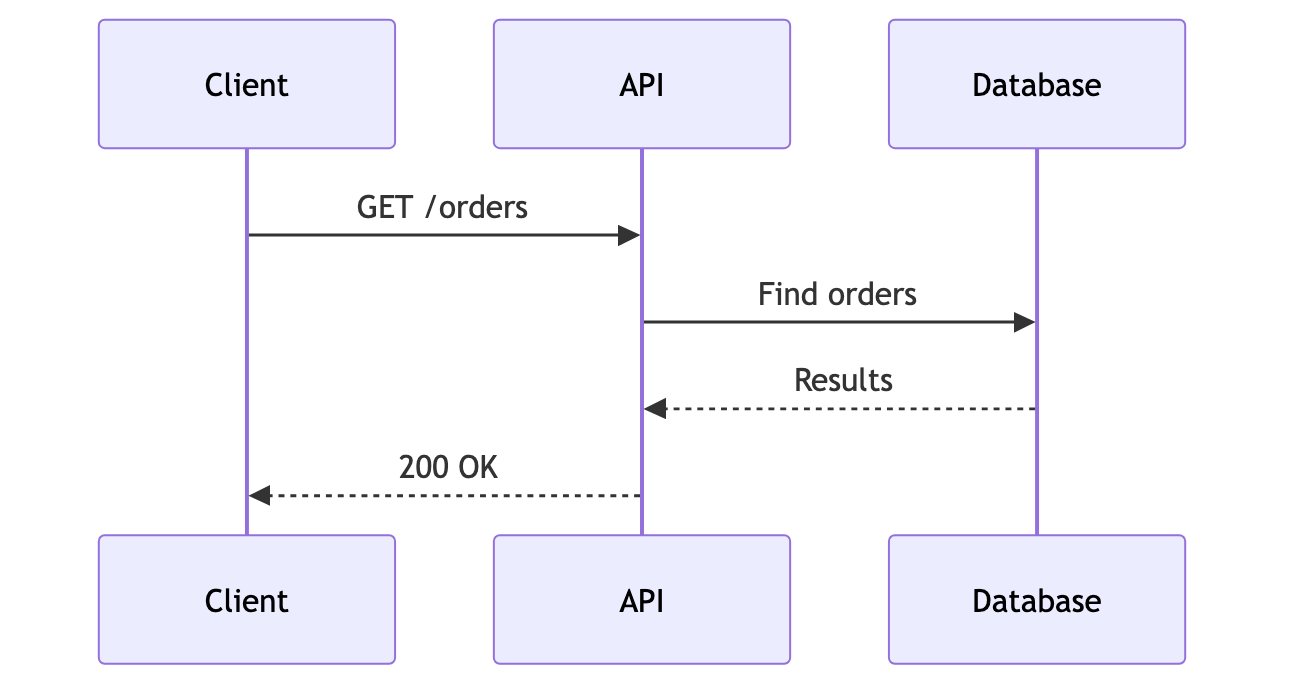
Sequence diagram syntax cheat sheet
| What it does | Syntax | Notes |
|---|---|---|
| Participant | participant A as API | Declares a short identifier and its visible name. |
| Request | C->>A: GET /orders | A solid arrow sends a request. |
| Response | A-->>C: 200 OK | A dotted arrow returns a reply. |
| Activation | activate A | Shows the period while a participant is working. |
| Alternative | alt Authorized ... else ... end | Groups conditional message paths. |
| Loop | loop Retry ... end | Repeats a sequence under a labelled loop. |
Editable sequence diagram examples
- API request — Edit this API request lifecycle in Mermaid, inspect the rendered result, and adapt the working source for your own documentation.
- OAuth flow — Edit this OAuth sign-in sequence in Mermaid, inspect the rendered result, and adapt the working source for your own documentation.
All sequence diagram examples · the whole example library
Frequently asked questions
Can a Mermaid sequence diagram show API responses?
Yes. Dotted response arrows distinguish replies from solid request messages, and activation bars show how long each participant is busy.
Can I model optional and alternate paths?
Yes. Use opt for an optional block, or alt, else and end for branches such as an authorized and an unauthorized response.
Which export format suits a sequence diagram?
SVG keeps the message labels selectable and sharp at any size, which matters because sequence diagrams are wide and text-heavy. PNG is the better choice for slides.
Keep reading
Sequence diagram tutorial · Export formats · all guides
mermaid.tools is an independent editor not affiliated with the Mermaid.js project or Mermaid Chart / mermaid.ai. Diagrams render in your browser with Mermaid 11.17.2.